

React
Overview
Getting started
Structure
Entry Point
Console.log
Global Message
Polyfill
Z-Index Issue
Auth with JWT
Route Example
API Service
Store with Zustand
Form Validate
Prevent Leaving Page
App Version
useDialog
Global Loader
nextjs
Global-messag
Overview
해당 기능은 공통업무 기능입니다.
다음과 같이 미리 준비된 Boilerplate confy-app 형태로 제공됩니다.
다국어 구현은 next-intl 라이브러리를 사용하여 i18n routing 을 사용하지 않고 구현되어 있습니다.
Usage
1. 기본 구조
아래 예시는 I18N 사용을 위한 기본 구조 입니다.
├── messages
│   ├── de.json // 독일어 구조 샘플 데이터
│   ├── en.json // 영어 구조 샘플 데이터
│   ├── ko.json // 한국어 구조 샘플 데이터
│   └── ...
├── next.config.ts
└── src
    ├── app
    │   └── i18n-sample/page.tsx
    ├── components
    │   ├── localeSwitcher.tsx
    │   └── localeSwitcherSelect.tsx
    ├── i18n
    │    ├── config.ts
    │    └── request.ts
    └── services
         └── locale.ts
2. messages 사용방법
아래 예시는 메시지 파일 기본 구조에 대한 예시입니다.
http://api.backendurl.com/message/kr 메시지 api 응답 예시
// 메시지 api 응답 예시
{
  "data": [
    {
      "id": 10,
      "key": "MSG000001",
      "value": "save",
      "locale": "en"
    },
    ...
    {
      "id": 17,
      "key": "MSG000008",
      "value": "Enter the {0}",
      "locale": "en"
    },
    {
      "id": 18,
      "key": "MSG000009",
      "value": "{0} must be greater than {1}",
      "locale": "en"
    }
  ],
  "result": {
    "statusCode": 200,
    "message": "SUCCESS",
    "timestamp": "2025-03-19T06:22:10.151Z"
  }
}
실제 코드 내에서 사용되는 메시지 구조- 아래와 같은 형식으로 변경되어 사용되어야 함
// 실제 코드 내에서 사용되는 메시지 구조
{
  "globalMessages": {
    "MSG000001": "save",
    "MSG000002": "cancel",
    "MSG000003": "login",
    "MSG000004": "password",
    "MSG000005": "title",
    "MSG000006": "email",
    "MSG000007": "English",
    "MSG000008": "Enter the {0}",
    "MSG000009": "{0} must be greater than {1}"
  }
}
3. 컴포넌트 내 사용 예시
아래 예시는 컴포넌트 내 기 정의한 메시지 사용 예시입니다.
- 메시지 준비(API 응답)
// /src/i18n/request.ts
import { getRequestConfig } from 'next-intl/server'
import { getUserLocale } from '../services/locale'

type MessagesResponse = {
  id: number
  locale: string
  key: string
  value: string
}

const fetchMessages = async (locale: string) => {
  // api 주소 입력
  const response = await fetch(`http://localhost:3300/message/${locale}`)
  const data = await response.json()
  const messages = data.data
  return renderMessages(messages)
}

const renderMessages = async (messages: MessagesResponse[]) => {
  const globalMessages: Record<string, string> = {}
  messages.forEach((message) => {
    globalMessages[message.key] = message.value
  })
  return globalMessages
}

export default getRequestConfig(async () => {
  const locale = await getUserLocale()
  const messages_ = await fetchMessages(locale)
  const messages = { globalMessages: messages_ }

  return {
    locale,
    messages: messages
  }
})
- 페이지 내 사용 방법
import LocaleSwitcher from '@/components/localeSwitcher'
import { useTranslations } from 'next-intl'
import Link from 'next/link'

import { logger } from '@/lib/logger'
const log = logger.child({ module: 'i18n-sample' })
log.debug('this module called1')

export default function Home() {
  const t = useTranslations('globalMessages')
  const values1 = ['name']
  const values2 = ['5', 10]
  return (
    <div className=''>
      <main className=''>
        <LocaleSwitcher />
        <ol className=''>
          <h1>`t(MSG000001)` {t('MSG000001')}</h1>
          <h1>`t(MSG000002)` {t('MSG000002')}</h1>
          <h1>`t(MSG000003)` {t('MSG000003')}</h1>
          <h1>`t(MSG000004)` {t('MSG000004')}</h1>
          <h1>`t(MSG000005)` {t('MSG000005')}</h1>
          <h1>`t(MSG000006)` {t('MSG000006')}</h1>
          <h1>`t(MSG000007)` {t('MSG000007')}</h1>
          <h1>
            `t(MSG000008) 인수 한개 case` {t('MSG000008', values1 as any)}
          </h1>
          <h1>
            `t(MSG000009) 인수 여러개 case` {t('MSG000009', values2 as any)}
          </h1>
        </ol>

        <Link className={''} href={'/'}>
          - 홈으로 -
        </Link>
      </main>
    </div>
  )
}
4. 데모 페이지
아래 예시는 데모 페이지 사용 예시입니다. 데모링크
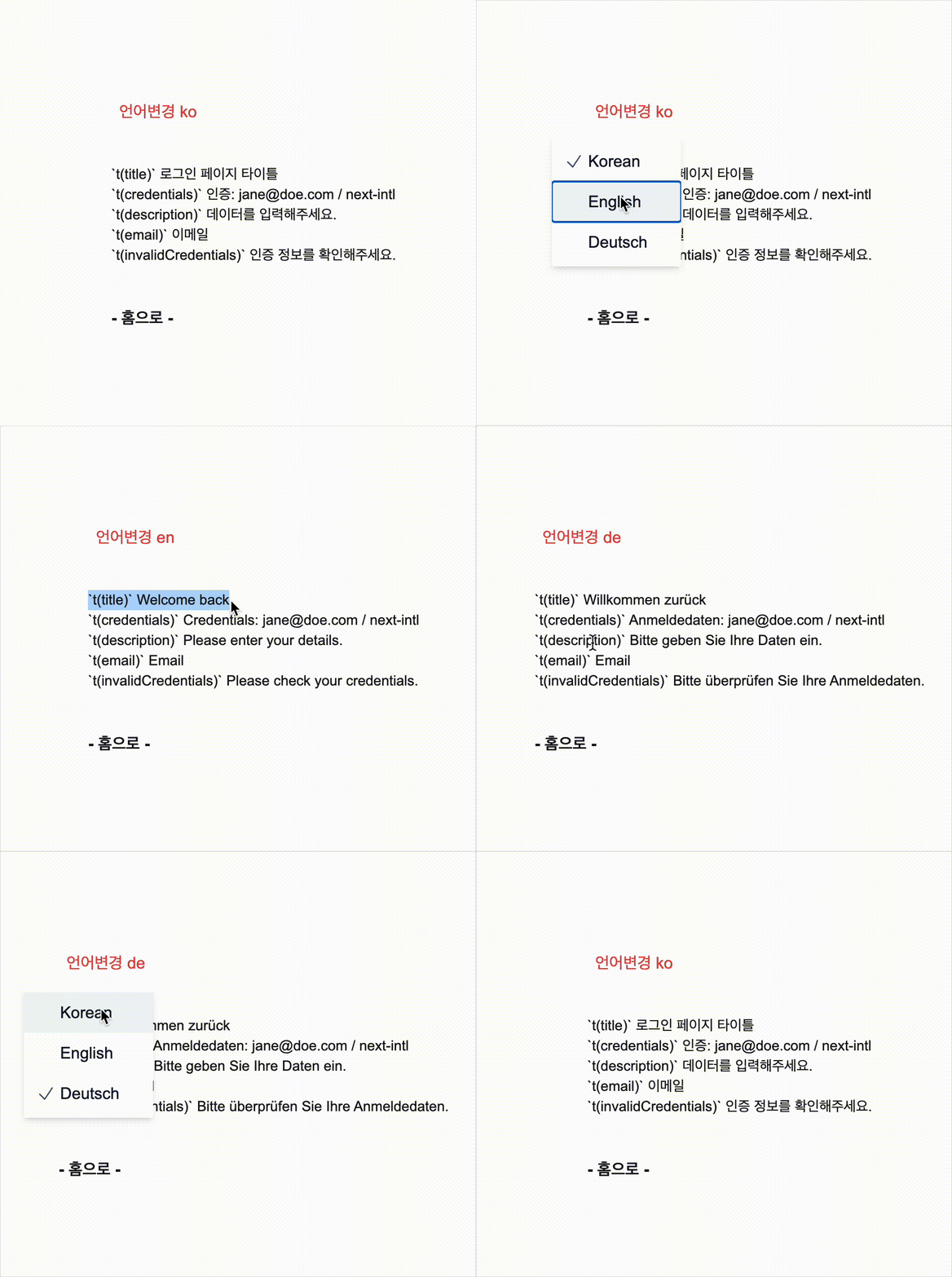
참고
PreviousForm Validate
NextLogger